
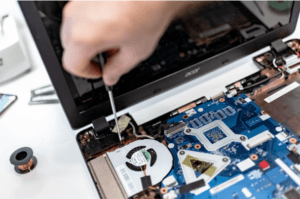
Summary: Three to five years is a practical replacement range for many business computers. The right time depends on security support, reliability, performance, warranty coverage, repair costs, and the employee’s...
Read More
Small Business IT Budget: What to Include and How to Plan It
Summary: Your IT budget should include the technology you already use, the support required to maintain it, and the upgrades you expect to make during the year. It should also...
Read More
Why Guest Wi-Fi Should Be Separate From Your Business Network
Summary: Guest Wi-Fi should provide internet access while blocking connections to your internal business network. A different Wi-Fi name and password do not confirm that the networks are separated. The...
Read More
What Happens to Your Data When You Cancel a Cloud Service?
Summary: Before canceling a cloud service, export your data and confirm that the files can be opened or imported. Move any connected applications and sign-ins, then check the provider’s current...
Read More
Should Employees Use Personal Devices for Work?
Summary: Allow personal devices only for approved work, through approved apps, and when the device meets your security requirements. Use company-owned devices for administration, sensitive work, or jobs that require...
Read More
Why Your Employees Shouldn’t Have Administrator Access to Their Computers
Summary: Employees should use standard accounts for email, web browsing, and everyday work. Administrator access should be limited to approved IT tasks and protected with a separate account. Administrator access...
Read More
The 30-Minute IT Check Every Small Business Should Do Once a Month
Summary: Most IT problems don’t appear out of nowhere. Backups quietly stop running, updates sit unfinished for weeks, and old staff accounts stay switched on for months. A short check...
Read More
How to Keep Your Business Running When Microsoft 365 Goes Down
Summary: The tools that run your business, like Microsoft 365, your accounting app, or your booking system, are reliable most of the time, but they do go down. When one...
Read More
OneDrive or SharePoint? Where Your Business Files Should Live
Summary: If your business uses Microsoft 365, you have both OneDrive and SharePoint, and files usually end up scattered across them with no clear rule. OneDrive is for your own...
Read More
Is Your Business Website a Security Risk?
Summary: Most small-business websites run on WordPress, and the biggest risk is usually old plugins that nobody has updated. Attackers scan the web for these known weak spots and use...
Read More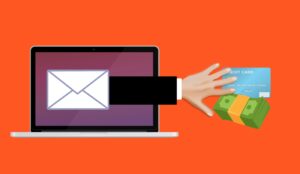
How to Spot a Scam Email Now That They Look Real
Summary: Scammers now use AI to write their phishing emails, so the spelling and grammar mistakes that used to give them away are gone. The UK’s National Cyber Security Centre...
Read More
What to Do in Case of a Cyberattack (Step by Step)
Article Summary: If your business is hit by a cyberattack, the first hour matters. Disconnect the affected devices from the network instead of powering them off, call your IT provider...
Read More
The “Session Cookie” Hijack: Why MFA Can’t Always Save You
MFA is a strong front-door lock. But it’s not the only thing that decides whether someone can get in. After you sign in, your browser keeps you logged in using...
Read More
The “Legacy Debt” Audit: Identifying the 3 Oldest Risks in Your Server Room
The most dangerous thing in a server room is often the phrase, “Don’t touch that.” It’s usually said with a half-joke and a grimace. It refers to the old box...
Read More
The “Backup Exit” Strategy: Can You Move Your Data Without the Vendor’s Help?
When you first sign up for a software-as-a-service (SaaS) platform, everything is designed to feel effortless. The problem is that the first real test of a SaaS relationship isn’t the...
Read More
Micro-SaaS Vetting: The 5-Minute Security Check for Browser Add-ons
Browser add-ons have a funny reputation. They feel “small”. A quick install. A tiny productivity boost. A harmless little helper that lives in your toolbar. But in practice, a browser...
Read More
LinkedIn “Social Engineering”: Protecting Your Staff from Fake Recruitment Scams
A fake recruiter message is one of the cleanest social engineering tricks around because it doesn’t look like a trick. That’s why LinkedIn recruitment scams work so well inside real...
Read More
Small Business IT Budget Calculator: Smart 2026 Guide
Small Business IT Budget Calculator: 2026 Guide Last reviewed: May 2026 A small business IT budget calculator is useful only if it reflects how your business actually runs: who uses...
Read More
Can AI Replace Your MSP? 7 Critical Risks for Businesses
Can AI replace your MSP? It is a fair question. Artificial intelligence is changing business fast. Tools like ChatGPT, Claude, Microsoft Copilot, and other AI platforms can draft documents,...
Read More